
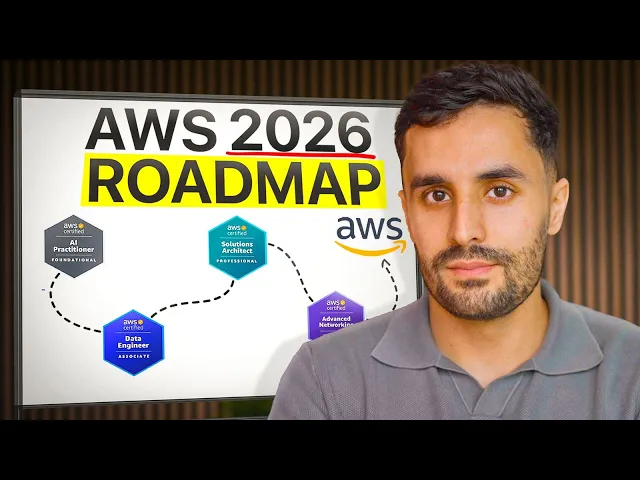
Yes, self-taught developers can and should get AWS certified.
If you're self-taught, you're likely driven by determination, building projects and piecing together knowledge from online resources. But it's common to feel like you're missing the fundamental knowledge a formal degree provides, leaving you to question your career prospects.
What stops most self-taught learners isn’t the difficulty of the material—it’s the lack of a clear roadmap. The AWS certification landscape can seem intimidating, but it's a misconception that it's only for people with computer science degrees. AWS values practical skills over academic background.
This guide provides the structure and clarity typical articles lack. We'll give you a clear roadmap to navigate the AWS certification process and turn your self-taught background into an advantage
Why Should Self-Taught Developers Get AWS Certified?
If you’re a self-taught developer, pursuing an AWS certification is definitely worth it. Certification demonstrates your motivation and credibility, especially if you lack formal degrees or work experience. It shows employers you are proactive and teachable, helping you stand out in a competitive job market.
Close the Credibility Gap
Without formal credentials, self-taught developers often struggle to prove their skills. An AWS certification provides globally recognized validation of your expertise, helping to overcome hiring bias and level the playing field.
Accelerate Career Mobility
AWS certification opens doors to in-demand roles like Cloud Engineer, DevOps Engineer, and Solutions Architect. It bridges gaps in real-world experience by validating your practical cloud knowledge, fast-tracking you into higher-level positions.
Build a Structured Skill Set
The certification’s structured curriculum ensures you master core cloud concepts—from security to databases—filling knowledge gaps and building a solid foundation for real-world use.
Gain a Competitive Edge
In a crowded job market, AWS certification sets you apart by showing initiative, commitment to learning, and proficiency in sought-after cloud technologies.
Create Portfolio Projects
Preparing for certification encourages hands-on projects like hosting static sites or building serverless APIs, which showcase your practical skills to employers.
Can Self-Taught Developers Really Get AWS Certified?
Let’s dispel some common myths. You don’t need a computer science degree, extensive coding experience, or formal networking knowledge to pass an AWS exam. The certification tests your ability to apply AWS concepts, not your educational background.
About 70% of exam questions are scenario-based, focusing on real-world problem solving rather than memorization. This practical approach benefits self-taught developers who learn best by doing.
AWS certifications support learners at all levels:
Foundational: AWS Cloud Practitioner introduces basic cloud concepts and AWS services.
Associate: Certifications like Solutions Architect, Developer, and SysOps Administrator validate technical skills for specific roles.
Professional & Specialty: Advanced certifications for experts in DevOps, security, machine learning, and more.
Effective learning combines hands-on practice with structured training—courses, labs, and bootcamps—to build skills and prepare for certification success.
Role-Based Certification Paths
Choice paralysis is a real barrier. To eliminate it, here are the most common starting points for developers, based on their existing experience. Taking a structured course can help you gain hands-on experience, deepen your understanding of cloud services, and prepare more effectively for AWS certification exams.
Your Background | Starting Certification | Why It Fits | Future Path |
Totally New to Cloud | Cloud Practitioner (CLF-C02) | Provides a foundational overview of AWS services, pricing, and support. It builds confidence and a base for future learning. | Solutions Architect - Associate |
Built REST APIs/Web Apps | Developer - Associate (DVA-C02) | Focuses on developing, deploying, and debugging cloud-based applications using AWS, aligning with your existing skills. | DevOps Engineer - Professional |
Used Linux & Networking | SysOps Administrator - Associate (SOA-C02) | Aligns with skills in managing and operating systems on AWS. | Solutions Architect - Associate |
Designed Systems/Databases | Solutions Architect - Associate (SAA-C03) | Focuses on designing resilient, cost-efficient, and scalable systems, a natural next step for developers with architectural mindsets. | Solutions Architect - Professional |
Note: While this table focuses on AWS, Google Cloud certifications (such as the Google Cloud Platform Associate certification) are also excellent alternatives for those interested in Google or other cloud providers like Azure.
Use these logic-based rules to decide:
If you’re totally new to cloud concepts → Start with Cloud Practitioner.
If you’ve built applications with REST APIs before → Go for Developer - Associate.
If you have experience with Linux and basic networking → Consider SysOps Administrator - Associate or Solutions Architect - Associate.
Exam Overview and Format
The AWS Certified Developer - Associate exam validates your technical expertise in AWS services and your ability to implement solutions in production. It includes 65 multiple-choice and multiple-response questions to be completed in 130 minutes. The exam costs $150 and is available at Pearson VUE testing centers or via online proctoring, offering flexible options worldwide.
Available in multiple languages—including English, Japanese, Korean, Portuguese (Brazil), Simplified Chinese, and Spanish (Latin America)—the exam ensures accessibility for diverse candidates. Preparation is best done through resources like AWS Skill Builder, which offers study plans, hands-on labs, and practice tests aligned with the exam domains. A focused study approach combining theory and practice will help you confidently earn your AWS Certified Developer credential and advance your cloud career.
Realistic Study Timelines
A lack of structure is a major reason self-taught learners feel overwhelmed. Here’s a realistic 6-week timeline for an Associate-level certification.
Week 1: Identity & Security. Focus on IAM (Users, Groups, Roles, Policies). This is the foundation for everything in AWS.
Week 2: Networking. Dive into VPC (Virtual Private Cloud), subnets, route tables, and security groups. It's normal not to understand VPCs on the first pass; this topic has a high cognitive load, so be patient.
Week 3: Compute. Cover EC2, Lambda, and ECS. Understand the differences between virtual machines, serverless functions, and containers.
Week 4: Storage. Learn about S3, EBS, and EFS. Focus on storage classes, lifecycle policies, and use cases for each.
Week 5: Databases. Study DynamoDB (NoSQL) and RDS (SQL). Pay attention to consistency models in DynamoDB and read/write capacity.
Week 6: Review & Practice Exams. Take multiple full-length practice tests to identify weak areas and simulate exam conditions.
This timeline is a guide. Adjust it based on your pace and prior experience.
With your study plan in place, the next step is to see how your strengths align with the skills needed for the exam. Let's break down what to focus on and where you might need extra attention.
Mapping Your Skills to the Exam
Knowing what to study is critical. This matrix breaks down key skills and where they fit into your exam preparation.
Skill | Required Knowledge | Relevant Exam Domain | Common Sticking Point |
User Authentication | IAM policies, roles, and JSON syntax | Security | Writing least-privilege IAM policies |
Network Isolation | VPC, subnets, NACLs vs. Security Groups | Security / Design | Calculating CIDR notation correctly |
Serverless Logic | Lambda function handlers, triggers, permissions | Development | Understanding Lambda’s execution context and concurrency |
Data Storage | S3 bucket policies, object lifecycle | Design / Development | Differentiating between Standard-IA and Glacier |
Database Management | DynamoDB vs. RDS, consistency models | Development / Design | Grasping eventual vs. strong consistency in DynamoDB |
While it's tempting to focus on memorizing answers, it's essential to truly understand the underlying concepts to succeed on the exam and in real-world scenarios.
Focus your energy on service interactions, like how IAM roles grant EC2 instances permission to access S3 buckets, or how a Lambda function is triggered by an API Gateway endpoint. These integrations are heavily tested.
Now that you have a clearer sense of which skills to prioritize, let's explore hands-on projects that will help reinforce this knowledge and prepare you for real-world scenarios.
Hands-On Projects to Build Competence
Theory is not enough. You need to build. Hands-on projects provide practical experience that is highly valued by employers. These projects bridge the gap between video courses and real-world competence.
Static Website Hosting (2 hours): Host a simple HTML/CSS website on S3 with a custom domain using Route 53.
Why it matters: Teaches core S3 concepts, public access, and basic DNS management.
Serverless API (4 hours): Build a simple REST API using API Gateway, Lambda, and DynamoDB to perform CRUD operations.
Why it matters: This is the cornerstone of modern cloud development and a key pattern in interviews.
Containerized Web App (8 hours): Dockerize a simple web application and deploy it on AWS using Elastic Container Service (ECS) with Fargate.
Why it matters: Demonstrates your understanding of containerization and serverless compute for containers, a highly sought-after skill.
Successfully completing these hands-on projects gives you the practical experience needed to ensure you are ready to say you have passed the certification exam.
Common Mistakes Self-Taught Learners Make
Avoid these predictable failure points to make your study time more effective.
Mistake: Memorizing Without Understanding.
Why it happens: Courses can move quickly, and it's tempting to rush through videos without internalizing the concepts.
How to prevent it: After each module, pause and deploy at least one resource related to what you just learned. For example, after the IAM module, create a user with a custom policy.
Mistake: Skipping the Fundamentals.
Why it happens: Eagerness to get to "fun" services like Lambda can cause learners to rush past networking (VPC) and security (IAM).
How to prevent it: Dedicate the first two weeks of your study plan exclusively to IAM and VPC. A strong foundation here makes everything else easier.
Your Exam Readiness Checklist
How do you know when you're ready? Use this simple checklist.
Can you consistently score 70-80%+ on high-quality practice exams (e.g., Tutorials Dojo, Whizlabs)?
Can you explain the primary use case for core services (IAM, VPC, EC2, S3, Lambda, RDS, DynamoDB) to someone else?
Can you read a scenario-based question and immediately eliminate two of the four answer choices?
Are you comfortable launching and configuring resources in the AWS Management Console without a step-by-step guide?
Do you understand the pricing models for core services?
If you can confidently check these boxes, you are likely ready to schedule your exam.
Prepare Smarter with StudyTech AI
The path for self-taught developers is often unstructured. You might not have a mentor to provide feedback, a clear roadmap, or a way to identify your knowledge gaps. This is where AI-driven tools can make a significant difference. Instead of spending weeks on generic courses, you can use platforms to get a personalized study plan based on your unique weak spots. For those looking for smarter strategies to prepare for AWS certification, technology can fill the gaps that self-study often leaves open.
Maintaining Certification
Earning your AWS certification is a major milestone, but maintaining it is key for ongoing career growth. AWS certifications are valid for two years, requiring you to pass a recertification exam or participate in continuing education like webinars and workshops. This keeps you updated on AWS’s expanding services and industry best practices.
Maintaining your certification shows employers your skills stay current, leading to better job prospects, higher salaries, and greater credibility in the cloud community. Continuous learning is essential in the fast-evolving cloud landscape, and an active AWS certification proves your commitment to professional excellence.
You Can Do This
Your background does not define your potential in the cloud. Your discipline, resourcefulness, and ability to learn are far more important. An AWS certification is not just achievable; it's a logical next step to formalize the skills you've worked so hard to build.
Choose your path with the role-based guide above, set a study timeline, and start building hands-on projects. For guidance on where to begin or what to study next, tools like StudyTech AI can provide structure to your journey.
